What BIMI actually does
BIMI — Brand Indicators for Message Identification — is an open email standard that lets domain owners display a verified brand logo next to their sent messages in supporting email clients. Gmail, Apple Mail, and Yahoo Mail all support it. The logo appears in the sender's avatar position in the inbox, giving recipients an immediate visual confirmation that the message is genuine.
The mechanism is a DNS TXT record — published atdefault._bimi.yourdomain.com — that points to a hosted SVG logo file and, optionally, a certificate file that proves the logo belongs to the domain owner. Email clients that support BIMI fetch these assets during delivery and display the logo when everything checks out.
Crucially, BIMI only works if the domain has DMARC configured atp=quarantine orp=reject withpct=100. This is intentional: the standard is designed so that only authenticated, enforcement-grade senders can display logos. For MSPs, that means completing the DMARC enforcement programme is the prerequisite — BIMI is the reward.
Two paths: CMC and VMC
There are two types of certificate used with BIMI, and choosing the right one for each client is the first decision to make.
| CMC — Common Mark Certificate | VMC — Verified Mark Certificate | |
|---|---|---|
| Trademark required | No | Yes (registered trademark, 6–12 months) |
| Typical cost | ~$100–$500 / year | ~$1,400–$1,800 / year |
| Gmail blue checkmark | No | Yes |
| Logo in inbox | Yes (Gmail, Apple Mail, Yahoo) | Yes (Gmail, Apple Mail, Yahoo) |
| Time to implement | Days to a few weeks | Months (trademark process first) |
| Best for | Most SMB clients immediately | Enterprise clients, regulated industries |
For most MSP clients — small businesses, professional services firms, local companies — the CMC path is the right starting point. It is faster, significantly cheaper, and does not require the client to have gone through a trademark registration process. The practical difference for the end user is the absence of the Gmail blue checkmark (a small shield icon visible in Gmail desktop), but the logo itself displays correctly in all major email clients.
Clients in regulated industries, financial services, or those who already hold trademarks should consider the VMC path — particularly if their clients use Gmail and the verified checkmark is meaningful in context.
The steps are identical after certificate issuance
Both paths converge at the same place: a PEM file from a certificate authority, hosted at a public HTTPS URL, referenced in a DNS TXT record. The DNS work, the SVG logo preparation, and the hosting setup are the same regardless of which certificate type is used.
Before you start: verify the prerequisites
BIMI will not activate on a domain unless three authentication prerequisites are in place. Confirm each of the following before attempting any of the certificate work — skipping this check and going straight to BIMI setup wastes time if the domain is not yet eligible.
SPF TXT record — present and passing
The domain's SPF record must authorise all mail-sending services in use and must not exceed the 10-lookup limit. Check forv=spf1 ... ~all or-all on the root domain TXT records.
DKIM signing — active for all sending sources
Every mail-sending platform (Google Workspace, Microsoft 365, transactional senders) must be DKIM-signing messages with a selector published on the domain. Verify usingdig TXT selector._domainkey.yourdomain.com.
DMARC at p=quarantine or p=reject with pct=100
BIMI explicitly requires DMARC enforcement. Ap=none policy — or a quarantine policy with pct below 100 — will cause BIMI lookups to fail silently. Check the_dmarc TXT record on the domain.
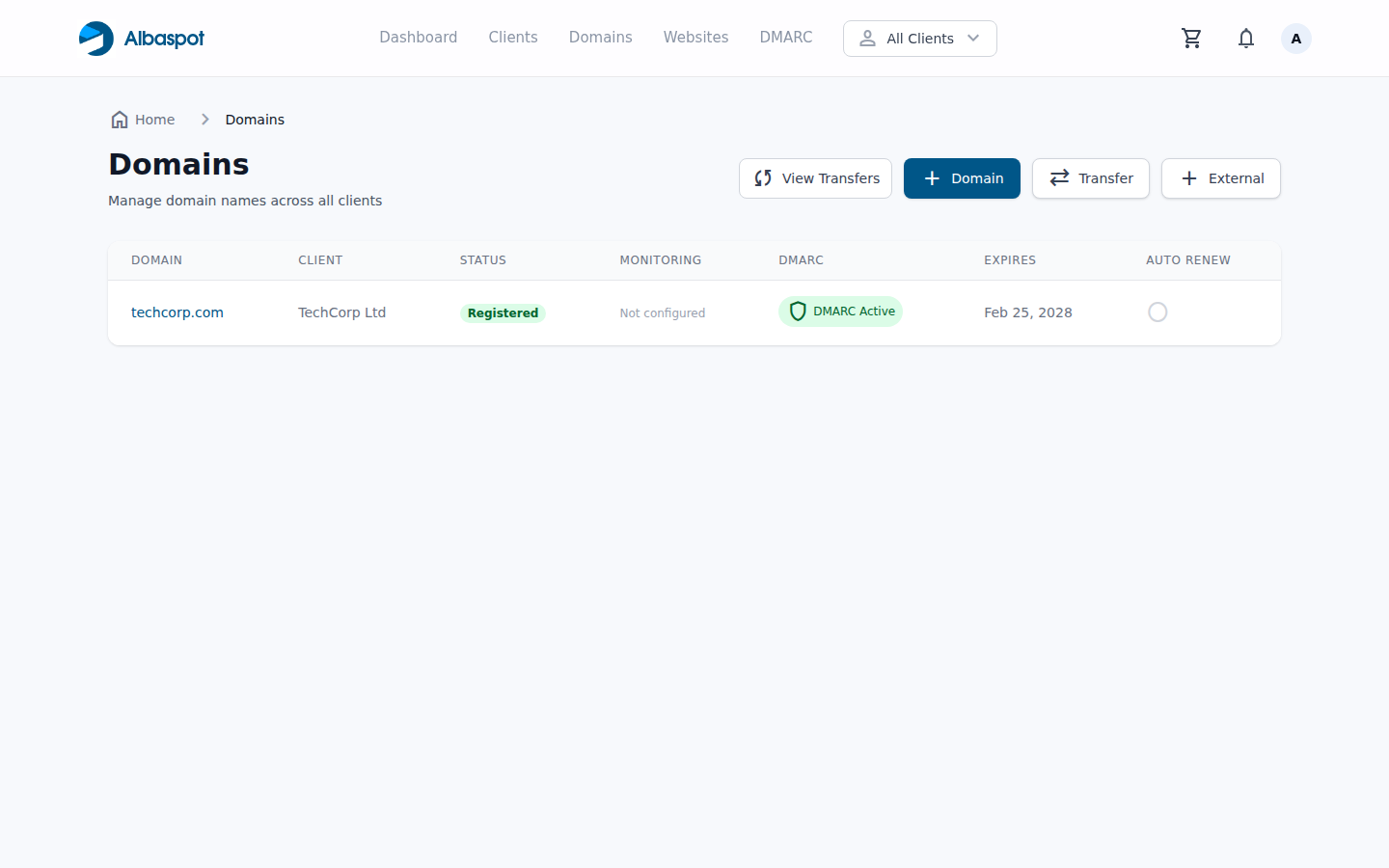
If SPF or DKIM is not yet in place, start there. If DMARC is at monitoring (p=none), work through theDMARC enforcement guide first. The BIMI steps below assume all three are passing.
Path A: CMC — the route for most clients
The Common Mark Certificate path does not require a registered trademark. The certificate authority verifies that the applicant controls the domain and that the logo submitted matches what the domain actually uses. The process is faster and substantially cheaper than the VMC route.
1Prepare the SVG logo file
The logo must be in SVG Tiny PS format — not a regular SVG. Most design tools export standard SVG by default, which will not pass certificate authority validation. The specific requirements are:
Required SVG root element attributes
<svg
  xmlns="http://www.w3.org/2000/svg"
  xmlns:xlink="http://www.w3.org/1999/xlink"
  baseProfile="tiny-ps"
  version="1.2"
  width="96"
  height="96"
  viewBox="0 0 96 96"
>
  <title>TechCorp Ltd</title>
  <desc>TechCorp Ltd brand logo</desc>
  <!-- logo content -->
</svg>
Logo file requirements checklist:
- Format: SVG Tiny PS —
baseProfile="tiny-ps",version="1.2" - Dimensions: absolute pixels only (e.g.
width="96" height="96") — never percentages - Minimum size: 96 × 96 pixels
- File size: 32 KB or smaller
- Background: solid colour — transparent backgrounds may not display correctly
- No external references, no scripts, no animations, no interactive elements
- No
x=ory=attributes on the<svg>root element
The logo should be the primary brand mark centred in a square frame. Many logos designed for web or print need adjustments before they pass BIMI validation — embedded fonts, external font references, and filter effects are common rejection causes. The CA's submission portal will validate the file before accepting it.
2Apply for a CMC from a certificate authority
The following certificate authorities issue CMCs. Each has its own submission portal and validation process, but all require domain control verification and logo review.
| CA | Typical price | Notes |
|---|---|---|
| DigiCert | ~$200–$300/yr | Widely accepted, REST API available |
| Entrust | ~$200–$400/yr | Strong enterprise support |
| Sectigo | ~$100–$200/yr | Often most affordable for SMB |
| GlobalSign | ~$200–$350/yr | Good reseller programme for MSPs |
Submit the SVG file and complete domain control verification (typically via DNS or email). Review times range from hours to a few business days. Once approved, the CA delivers an entity certificate PEM file. You will also need to download any intermediate CA certificates and the root CA certificate from the same CA — these need to be appended to the PEM file in chain order before hosting.
Correct PEM file chain order (concatenate with a text editor)
-----BEGIN CERTIFICATE-----
[Entity certificate — issued to your domain]
-----END CERTIFICATE-----
-----BEGIN CERTIFICATE-----
[Intermediate CA certificate]
-----END CERTIFICATE-----
-----BEGIN CERTIFICATE-----
[Root CA certificate]
-----END CERTIFICATE-----
3Host the SVG and PEM files on a public HTTPS server
Both files must be hosted at stable, publicly accessible HTTPS URLs. The server must use TLS 1.2 or later with a valid certificate from a trusted root CA. Important constraints:
- The URL must be reachable by external mail servers — no VPN, no authentication required
- Choose a stable URL that will not change — the DNS record points to it, and changing the URL later means updating DNS and waiting for propagation
- AWS S3 with public access, Cloudflare R2, or a static file server all work well
- The file does not need to be on the same domain as the sending domain — a CDN subdomain is fine
Recommended stable URL patterns
https://img.yourdomain.com/bimi/logo.svg
https://img.yourdomain.com/bimi/certificate.pem
Verify both URLs load correctly in a browser before proceeding. Check that the SVG renders and the PEM returns the raw certificate text starting with-----BEGIN CERTIFICATE-----. Some S3 configurations serve PEM files with an incorrect content type — the file content itself is what matters, not the MIME type.
4Add the BIMI assertion TXT record to DNS
Create a DNS TXT record atdefault._bimi.yourdomain.comwith the following value:
BIMI assertion TXT record — with PEM certificate (CMC/VMC)
v=BIMI1; l=; a=https://img.yourdomain.com/bimi/certificate.pemNote that l= (lowercase L) is intentionally empty when using a PEM file — the SVG is embedded inside the PEM by the CA during issuance, so you do not need to link it separately. Thea= tag points to the hosted PEM file URL.
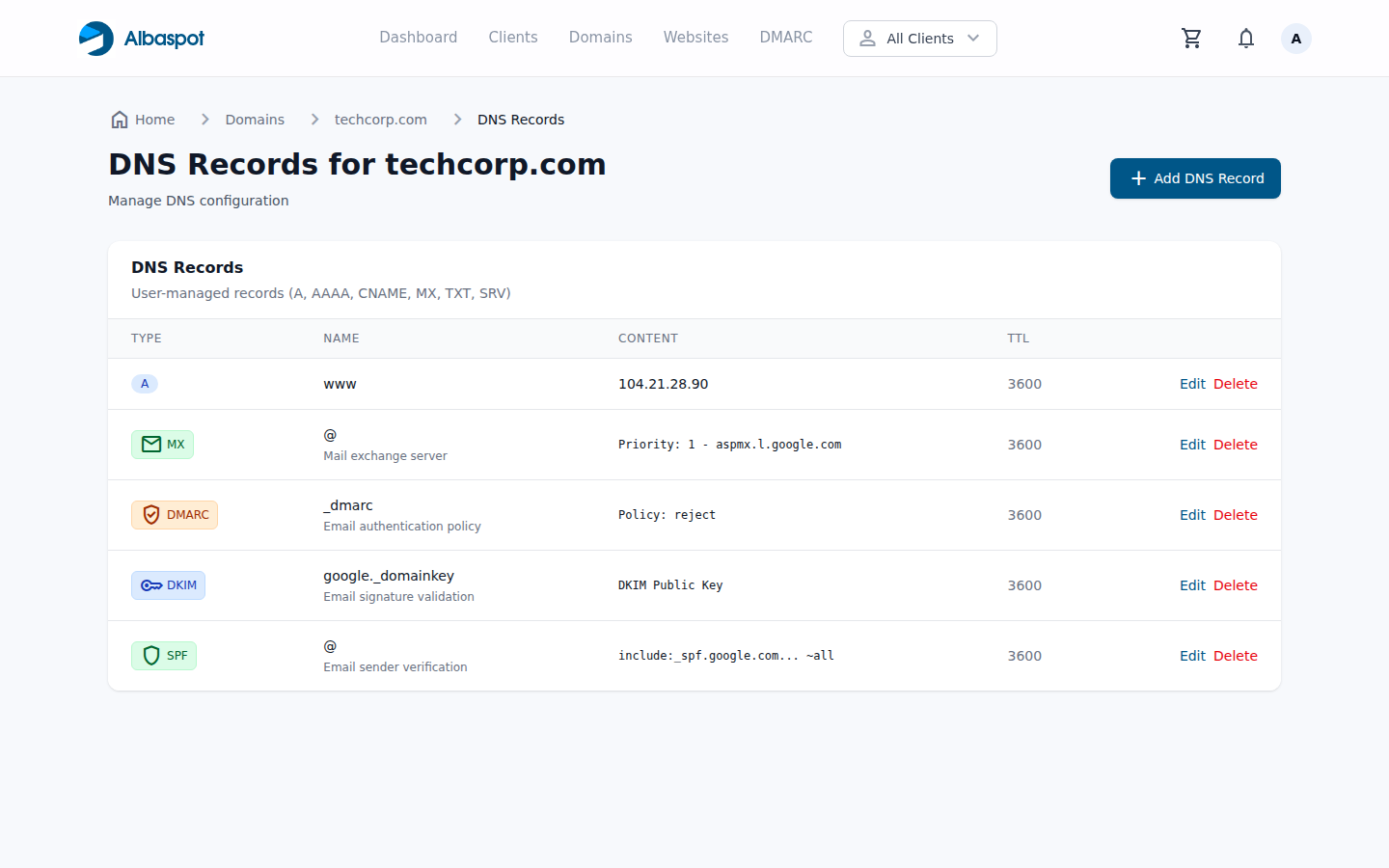
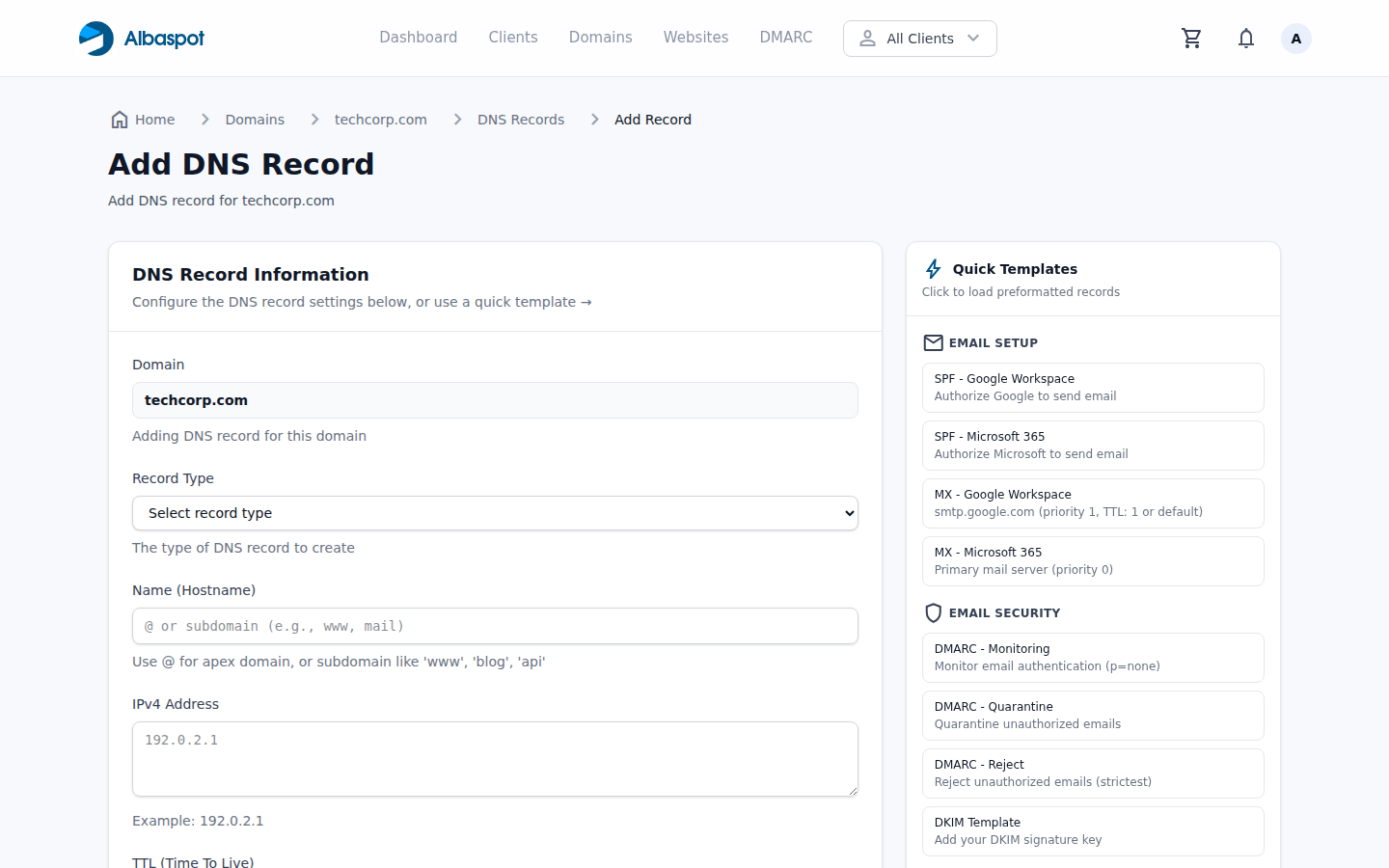
default._bimi TXT record directly in Albaspot — the record name, type, and BIMI assertion value are set here and published to DNS.5Verify and wait for propagation
DNS propagation can take up to 48 hours, though most resolvers pick up TXT record changes within a few minutes to an hour. While waiting, verify the record is returning the expected value:
dig TXT default._bimi.yourdomain.com +shortOnce DNS has propagated, use theBIMI Group's inspector tool to validate the full chain. It checks the DNS record, fetches the PEM file, and verifies the certificate against known roots. A passing result means the logo should appear within 48 hours in Gmail, Apple Mail, and Yahoo Mail.
Note that Gmail caches BIMI lookups aggressively. If you make a correction to the SVG or PEM after initial setup, expect a delay before recipients see the updated logo.
Path B: VMC — for clients who want the Gmail blue checkmark
The Verified Mark Certificate path adds one significant requirement: the logo must be trademarked with a national or regional intellectual property office that the certificate authorities recognise. The process itself is then identical to the CMC path from Step 1 onward — the difference is what the CA verifies before issuing.
0Register the logo as a trademark (VMC prerequisite only)
This step has nothing to do with DNS or certificate authorities — it is a legal process with the relevant intellectual property office. In the US, that is the USPTO; in the EU, the EUIPO; in the UK, the IPO. Different CAs accept different trademark registries, so confirm the CA's accepted list before starting.
Time and cost expectations
- Trademark registration: 6–12 months in most jurisdictions
- USPTO filing fee: ~$250–$400 per class (attorney fees additional)
- Logo must be actively used in commerce — registration of an unused logo can be challenged
- The trademark must cover the exact logo submitted for the VMC, not a close variant
For clients already holding a registered trademark on their logo, this step is complete and the remaining process is the same as the CMC path. For clients without a trademark, the CMC path is the practical choice unless they specifically need the Gmail checkmark and are willing to wait.
1–5Steps 1–5: Same as the CMC path
Once the trademark is in hand, follow the exact same steps as the CMC path: prepare the SVG logo file, apply to a CA (DigiCert, Entrust, or GlobalSign all issue VMCs), assemble the certificate chain, host the PEM file, and publish the BIMI TXT record. The DNS record format is identical.
VMC costs are substantially higher (~$1,400–$1,800/year) and the CA will require proof of the trademark registration as part of the application. Once issued, the Gmail blue checkmark appears next to messages from that domain — visible to recipients in both Gmail desktop and mobile.
Ongoing: managing certificate expiry
CMC and VMC certificates are typically issued with a one-year validity period. When a certificate expires, BIMI lookups fail and the logo stops appearing in recipients' inboxes — silently, with no bounce or delivery failure visible to the sender. The only way to know it has happened is to monitor for it.
At certificate expiry, the renewal process is simpler than the initial setup: obtain a renewed certificate from the same CA (the SVG logo and domain do not change), assemble the new PEM chain, and replace the file at the same hosted URL. Because the DNS TXT record continues to point to the same URL, no DNS changes are required — the file content is what gets updated.
Certificate expiry management checklist
- Set calendar reminders at 60, 30, and 7 days before expiry — most CAs do not send automated renewal alerts
- Use a stable URL with no version numbers or date strings in the path — this means the DNS record never needs to change on renewal
- After uploading the renewed PEM, re-run the BIMI Group inspector to confirm the certificate chain is valid before the old cert expires
- Keep the previous PEM file as a backup during the renewal window in case the new certificate is rejected
Related reading
How to Set Up DMARC Properly: A Step-by-Step Guide to Moving from Monitoring to Enforcement
The required prerequisite before BIMI — taking a domain from p=none to p=reject safely. Read this first if DMARC enforcement is not yet in place.
How MSP-Managed Domains, DNS, and DMARC Protect Your Clients
The broader picture of email authentication infrastructure — why MSPs should own the entire stack, not just SPF and DKIM.
Explore Albaspot features:DMARC & email security,DNS management,monitoring & alerting,domain registration.