How to Bring a Client's External Domain Under Albaspot DNS Management
Albaspot's DNS management lets you bring any client domain under centralised control without moving the registration. Point the domain's nameservers to Albaspot, and from that moment you manage all DNS records from one dashboard — across every client. Here's the full step-by-step.
What you need: a paid plan for DNS hosting
Albaspot's free plan includes DMARC monitoring, the client portal, alerting, and API access — no card required. DNS zone hosting for external client domains requires a paid plan (Solo at $39/month or higher). Each hosted zone for an externally-registered domain is $12/year. Domains registered or transferred to Albaspot include premium DNS automatically — no extra charge.
If you haven't signed up yet, you can create a free account and start monitoring DMARC immediately. Upgrade to a paid plan when you're ready to bring client domains under centralised DNS management.
What is a "hosted domain"?
A hosted domain (also called an external domain) is one that's registered at another registrar — GoDaddy, Namecheap, Squarespace, Hover, or anywhere else. You don't move the registration. You simply point the domain's nameservers to Albaspot, and from that moment we serve the DNS. You add, edit, and delete DNS records from the Albaspot dashboard. The registrar just holds the registration.
Step 1: Sign up and select a plan
Head to app.albaspot.com/signup and create your account. For DNS zone hosting, select a paid plan — the Solo plan ($39/month) is the entry point and covers up to 25 client domains. The Growth and Scale plans include a 30-day free trial if you want to evaluate the full platform before committing.
The Solo plan is a good starting point for MSPs with a handful of active clients. Growth works well for a larger portfolio. Upgrading takes one click and the price difference is prorated.
Step 2: Add a card to activate DNS hosting
DNS zone hosting requires a paid plan. Albaspot collects payment details during plan selection to activate the subscription. Growth and Scale plans include a 30-day free trial — the card is collected upfront but the first charge doesn't happen until the trial ends.
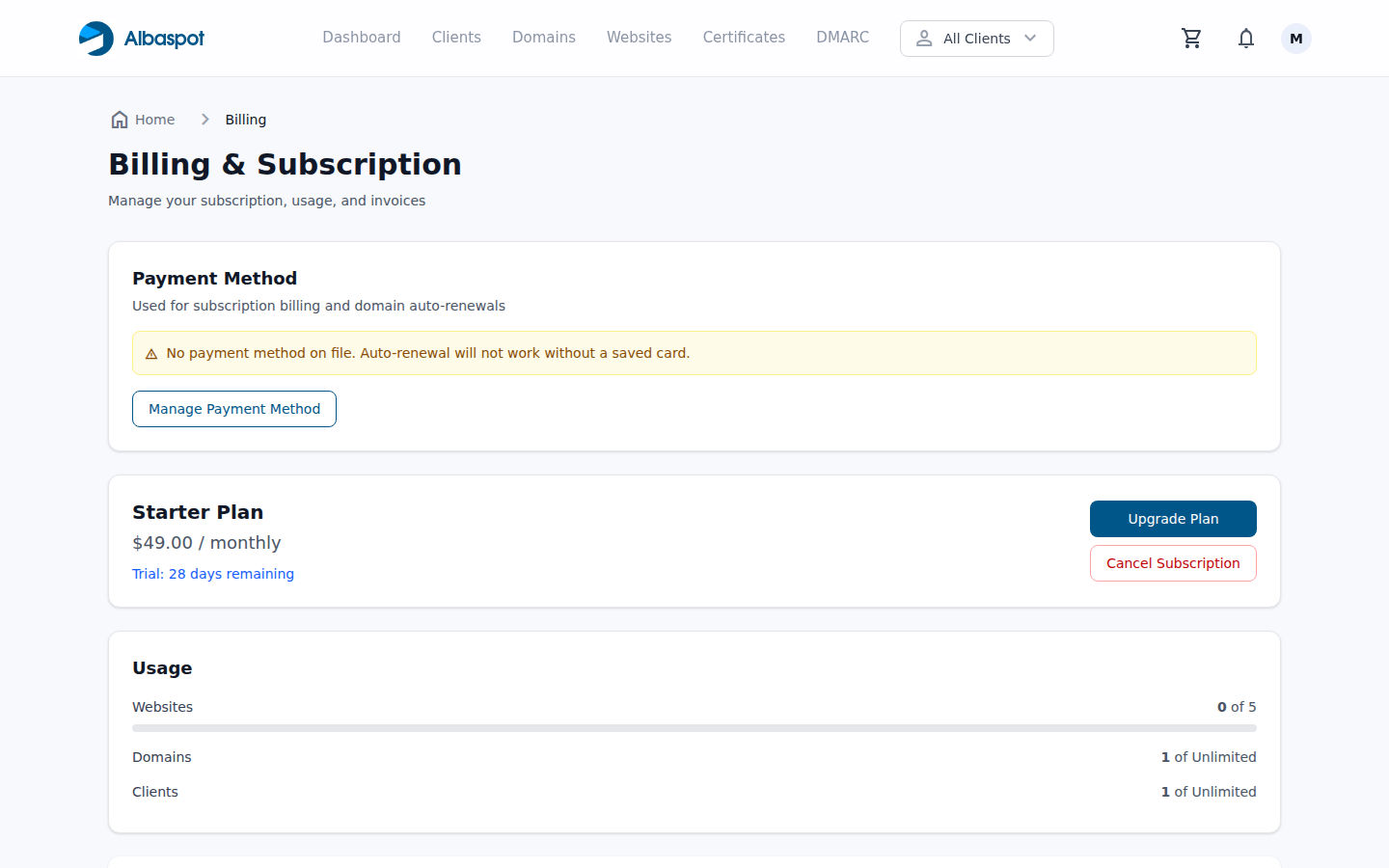
You can cancel at any time from Billing → Cancel. If you're on a Growth or Scale trial and cancel before day 30, nothing is charged.
Step 3: Add your first hosted domain
Navigate to Domains → Add domain → Host external domain. Enter the domain name exactly as it appears at the registrar (e.g. clientsite.com) and select or create the client record it belongs to.
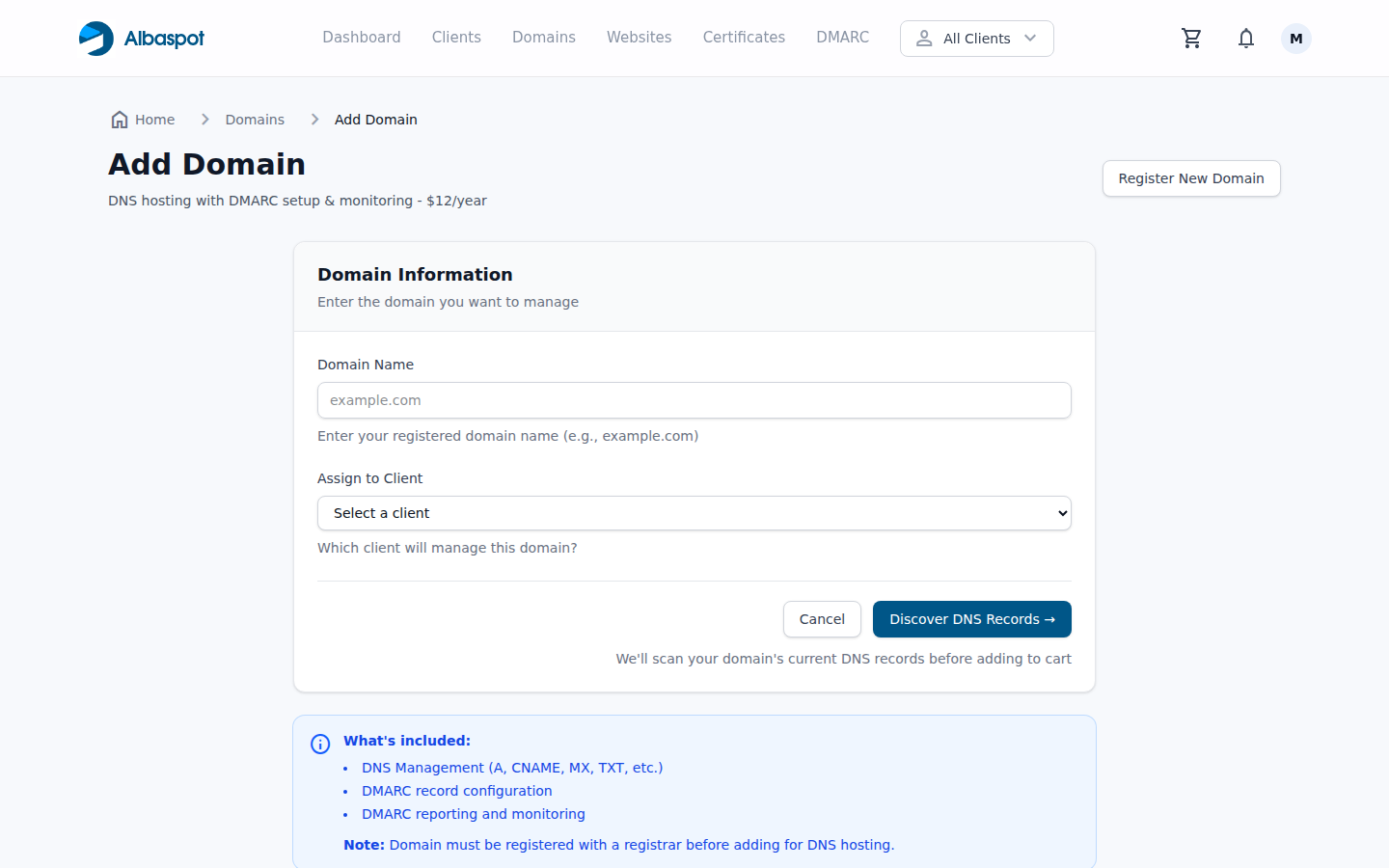
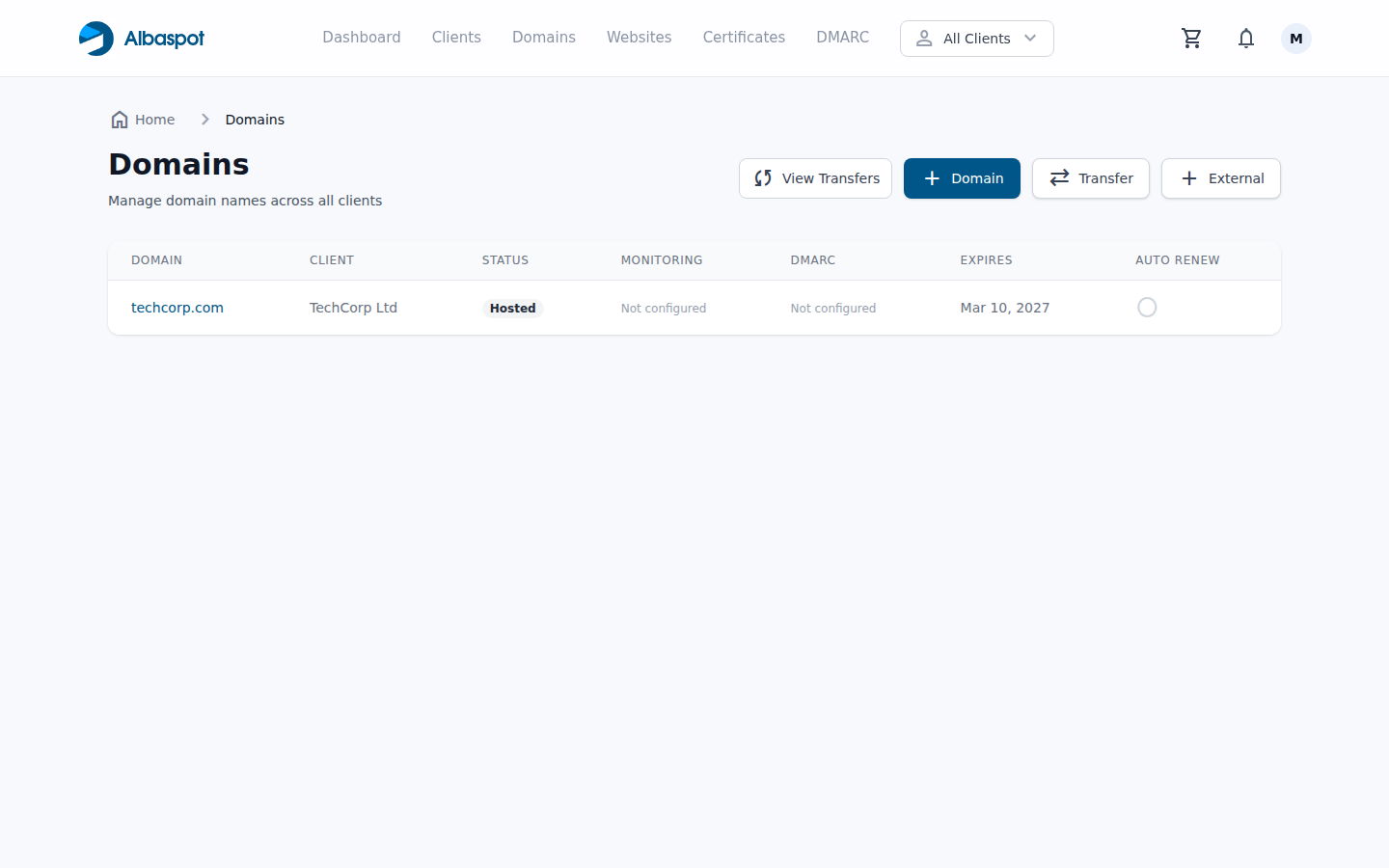
Hit Add hosted domain. Albaspot creates an empty DNS zone for the domain on DNSimple's nameservers in seconds. The domain will appear in your Domains list with a Hosted badge.
Step 4: Point the nameservers at the registrar
Open the domain at its registrar and replace the existing nameservers with DNSimple's. Look for a setting labelled "Nameservers", "DNS", or "Name servers" — every registrar words it slightly differently but it's always in the domain management section.
Replace all existing nameservers with these four:
ns1.dnsimple.com

ns2.dnsimple-edge.net

ns3.dnsimple.com

ns4.dnsimple-edge.org
DNS propagation typically takes between 15 minutes and a few hours depending on the registrar and the previous TTLs. During that window the domain will continue resolving against the old nameservers — there is no downtime as long as your DNS records in Albaspot are correct before propagation completes.
Pro tip: copy records before you delegate
Before you update the nameservers, use Albaspot's DNS → Sync from provider to import the domain's current live records into the Albaspot zone. This creates a safety net — if propagation doesn't go as expected you can revert the nameservers and the original records are unchanged at the old DNS provider.
Step 5: Manage the DNS zone during your trial
Once propagation completes, every DNS change for this domain goes through Albaspot. Open the domain and click DNS Records to see and manage the full zone.
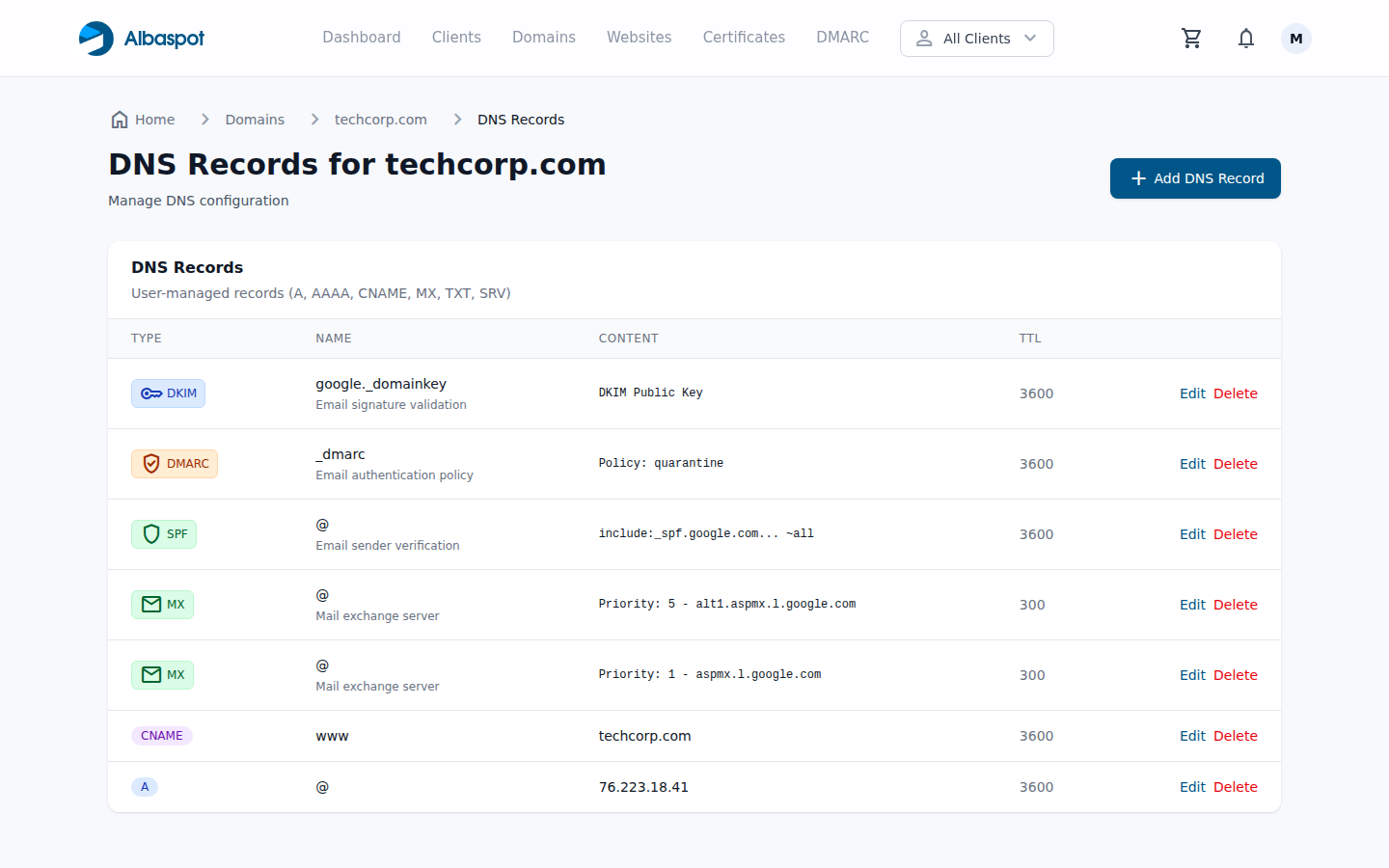
Every record change is logged in the audit trail and Albaspot's DNS monitoring job checks the live zone hourly. If something changes unexpectedly — an MX record gets overwritten, a DMARC record disappears — you'll get an alert before a client notices. That monitoring alone is often worth the trial for MSPs who've been burned by a registrar UI change they didn't authorise.
How DNS hosting billing works
Once you're on a paid plan, hosted DNS zones for externally-registered domains are billed at $12/year per zone on top of your subscription. Domains registered or transferred to Albaspot include DNS automatically — no additional charge. Each zone appears as a separate line item in billing so you have a clear per-client cost.
| Scenario | What happens |
|---|---|
| You add a hosted DNS zone | $12/year billed separately per zone. DNS zone is active immediately after nameserver delegation. |
| You cancel your subscription | Subscription runs to end of billing period. You have a grace period to re-point nameservers before zones are removed. |
| You're on a Growth or Scale trial and cancel before day 30 | No charges. Grace period applies to re-point nameservers and export records. |
Common mistakes when delegating nameservers
Frequently asked questions
Is DNS hosting free on the free plan?
What happens to the hosted DNS zone if I cancel my subscription?
Can I add multiple hosted domains?
Does Albaspot include DMARC monitoring, SSL certificates, and the other features on paid plans?
I'm already managing a domain inside Albaspot as a registered domain. Is that different?
Related reading
Client Domains Scattered Across Registrars: The Hidden Risk Every MSP Is Sitting On
Why fragmented domain ownership creates visibility gaps — and what centralised DNS hosting fixes.
When a DNS Change You Didn't Make Breaks Every Client's Email
How unexpected DNS changes cascade into SPF and DMARC failures — and how hourly monitoring catches them first.
What Is DNS-01? How It Makes Fully Automated Certificate Renewal Possible
Once you're running DNS through Albaspot, SSL certificate renewals for RDS servers can be fully automated via the DNS-01 challenge.
Start monitoring DMARC for free
Sign up free and start monitoring DMARC across your client portfolio immediately — no card required. Add DNS zone hosting when you're ready with a paid plan.
Start for free